Enhance Business Automation with The Best AI Receptionists for Small Business
How to compare call handling, lead capture, scheduling, escalation, integrations, and customer experience before choosing a system.
Quick answer: How to compare call handling, lead capture, scheduling, escalation, integrations, and customer experience before choosing a system.
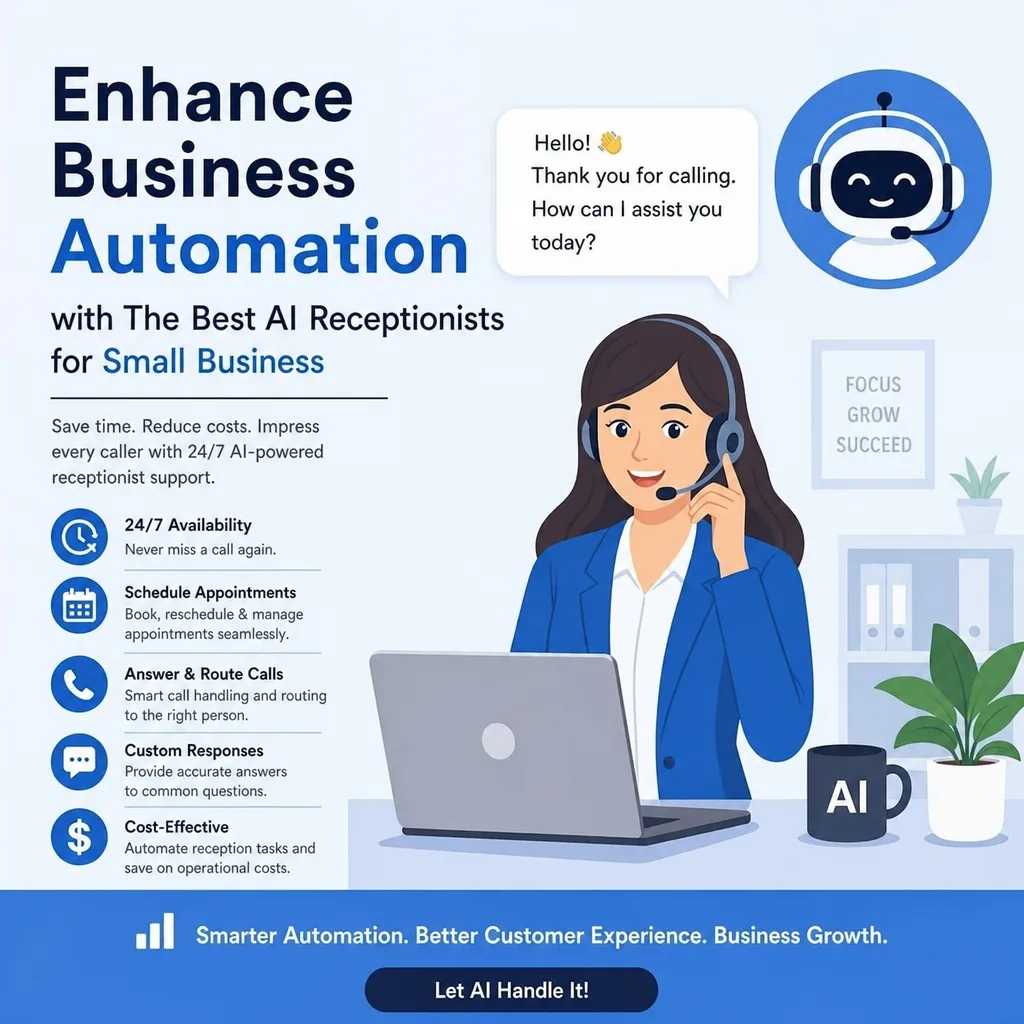
Missed calls can cost small businesses leads, bookings, and sales. A customer may want a quote, support, or a fast price check. If no one answers, many callers move on.
An AI receptionist for small business - or an automated receptionist - gives callers a fast first reply without a full-time front desk hire. It can answer routine calls, capture leads, schedule visits, route urgent calls, handle common questions, and send clear notes to your team.
Used well, this kind of AI phone answering supports scheduling, lead follow-up, customer service, and business automation. Think of it as an AI front desk for calls.
Quick Picks: Top AI Answering Services
When you compare AI answering services, look for the one that fits your real call flow. Do not choose based only on a long feature list.
Service type | Best for | Main benefit |
AI receptionist | Small businesses that miss calls | Answers and routes calls fast |
AI scheduling assistant | Service firms and clinics | Helps customers book visits |
AI lead-capture system | Sales teams and quote-based work | Collects lead details |
AI call-routing system | Urgent or time-sensitive work | Sends urgent calls to the right person |
Before you choose a provider, check the integrations, routing rules, call summaries, calendar tools, and CRM support it offers.
How Can AI Help a Small Business?
An AI receptionist can answer incoming calls, greet customers, collect basic details, route urgent requests, schedule appointments, and send call notes to the right person.
For small businesses, that means fewer interruptions during the day and fewer missed chances when no one is free to answer.
AI should not replace every human conversation. It should handle repeat front-desk work so owners and teams can spend more time on work that needs skill, judgment, and care.
1. Answer More Calls Without Adding Front-Desk Stress
The biggest win of a smart receptionist is simple: it answers when your team cannot.
Small business owners often do many jobs at once. The same person may be helping customers, completing work, sending invoices, managing stock, or attending meetings while the phone keeps ringing.
An AI front desk can:
- Greet callers in a clear way
- Ask what they need help with
- Collect names and contact details
- Spot urgent calls
- Capture notes for follow-up
- Route calls by your rules
Instead of a list of missed calls with no context, your team gets clear summaries that make follow-up easier.
This helps during lunch, busy service hours, evenings, weekends, and after-hours periods. The real issue is often uneven call handling. A virtual receptionist gives you a steady base so customers do not feel ignored.
Best-fit businesses
- Home service businesses that get job requests all day
- Clinics, studios, and appointment-based offices
- Local shops and service firms with lean teams
- Consultants, agencies, and solo operators who need unbroken focus time
- Businesses that get the same questions again and again
2. Capture Leads While Interest Is High
A caller is often most ready to act at the moment they pick up the phone. If they reach voicemail, they may hang up and call another business.
A virtual receptionist closes that gap by engaging the caller right away and collecting the details your team needs to respond well.
A virtual assistant can ask:
- What service do you need?
- Where are you located?
- How soon do you need help?
- Are you a new or existing customer?
- What is the best phone number or email for follow-up?
- Is the request urgent?
For quote-based businesses, it can collect basic project details. For appointment-based businesses, it can capture the service needed and the preferred booking time.
That creates a cleaner handoff. Your team can start the callback with useful context instead of starting from scratch. It can also help filter spam, wrong numbers, and requests outside your service area.
3. Create a Better After-Hours Experience
The goal of after-hours answering is not to make people think your office is fully staffed at midnight. The goal is to give them a clear next step.
An AI receptionist can explain that the team is busy now, gather the caller's request, check for urgency, and say when they can expect a reply.
If your business offers emergency service, the system can route some calls to an on-call team member. If it does not, it can set clear expectations and collect the details needed for next-day follow-up.
A voicemail greeting often leaves people wondering if anyone will call them back. A smart receptionist can ask structured questions, confirm that the request was received, and make the process feel more organized.
For your team, that means starting the day with useful summaries instead of vague voicemail notes.
4. Route Urgent Calls Faster
Not every call should follow the same path. It's not good to have all types of messages in one inbox. Keep them separate for better organization.
This is where call triage helps.
With clear scripts and routing rules, an AI receptionist can identify what the caller needs and choose the next step:
- Urgent calls go to the right person at once
- Routine requests are logged for follow-up
- Common questions get an approved answer
- Appointment changes go to the booking flow
- New leads are captured and sent to the right team member
For example, a plumbing company may want burst-pipe calls sent straight to an on-call tech while routine maintenance requests are collected for scheduling. A law office may route existing clients differently from new leads. A salon may put same-day changes first.
The key is to set the decision path before launch. A smart receptionist is only as strong as the rules it follows.
5. Support Scheduling and Appointment Requests
Scheduling is one of the most repeated front-office tasks. Customers call to ask about times, change appointments, confirm bookings, or find out what they need to bring.
An AI receptionist can cut that load by handling basic scheduling calls.
When it connects with a calendar or booking system, it may be able to:
- Offer open appointment times
- Collect booking choices
- Confirm appointment requests
- Send booking details to your staff
- Handle simple reschedule or cancel requests
- Create a booking for staff review
Even without a direct calendar link, it can collect the service type, preferred date, preferred time, location, and contact details. That still makes manual scheduling faster and more organized.
This is where small business automation becomes useful. The AI handles repeat intake, while your business keeps control over exceptions, approvals, pricing, and human follow-up.
Set these rules first
- Which services can be booked right away
- Which services need an estimate or approval
- What details must be collected before booking
- How cancel and reschedule requests are handled
- When a staff member must take over
6. Create a More Professional First Impression
First impressions shape trust. When a caller gets a clear, helpful, and steady greeting, they are more likely to see your business as organized and reliable.
This matters most for solo operators and growing companies. A contractor may be at a job site. A consultant may be in a meeting. A studio owner may be teaching a class. The business may be active, but the caller cannot see that.
If no one answers, a customer may think the business is closed, overwhelmed, or hard to reach.
A virtual receptionist fills that gap. It gives an immediate reply, captures the reason for the call, and explains what happens next. It can also match your brand voice, whether your business sounds warm, polished, direct, professional, or service-focused.
Professional does not mean robotic. The best AI phone interactions are short, clear, and helpful.
7. Reduce Repeat Questions
Every small business gets repeat questions:
- What are your hours?
- Do you serve my area?
- How do I book?
- What services do you offer?
- Do you provide emergency support?
- What should I bring to my appointment?
- Can I reschedule?
- How do I request a quote?
These questions are normal, but they take more time than most owners realize.
An AI customer service workflow can answer approved common questions in a steady way. Your business controls the facts, while the AI handles the first reply and sends harder questions to a person.
Start with a simple knowledge base that includes:
- Business hours
- Service areas
- Basic service info
- Booking steps
- Common policies
- Emergency steps
- Contact choices
- Frequently asked questions
A good rule is to automate repeat questions and keep people involved when trust, emotion, price, or exceptions matter.
For example, an AI receptionist can explain how to request a quote, but a human should still review the job and give final pricing.
8. Organize Call Notes and Follow-Up
Missing details can lead to missed sales.
A caller may mention an address, a preferred time, a service issue, or an important concern. If that information is spread across voicemail, sticky notes, and memory, follow-up gets slower and less reliable.
An AI phone answering service can create structured summaries that are easier to review and share. Depending on the setup, it may send details to email, text message, a CRM, a help desk, or job-management software.
Useful call notes may include:
- Caller name and contact details
- Whether they are a new or existing customer
- Reason for the call
- Service requested
- Location or address
- Urgency level
- Preferred callback time
- Best next step
For example, this note is highly useful: New customer in service area. Reports an urgent leak under the kitchen sink. Needs help today. Best callback number: 555-123-4567.
That is much better than a generic missed call note.
Over time, clean call data can also show patterns, including peak call times, common requests, frequent service areas, and repeat customer questions.
9. Help Field Service Businesses Stay Responsive
Field service businesses face a special problem: the people who know how to solve the issue are often out in the field doing the work.
Plumbers, electricians, HVAC techs, cleaners, repair pros, and contractors cannot stop for every call. At the same time, customers may be calling because they need help right away.
An AI receptionist can collect job details, confirm the customer's location, assess urgency, and route the request right.
For a plumbing company, that may mean sorting between:
- Burst pipes
- Active leaks
- Water heater problems
- Drain clogs
- Routine maintenance
- Installation estimates
The system should collect the right details before sending the job to dispatch, the owner, or an on-call tech.
That is why the best AI receptionist for small plumbing business use needs clear urgent-call rules.
A strong setup protects technicians from needless interruptions while making sure real emergencies get fast attention.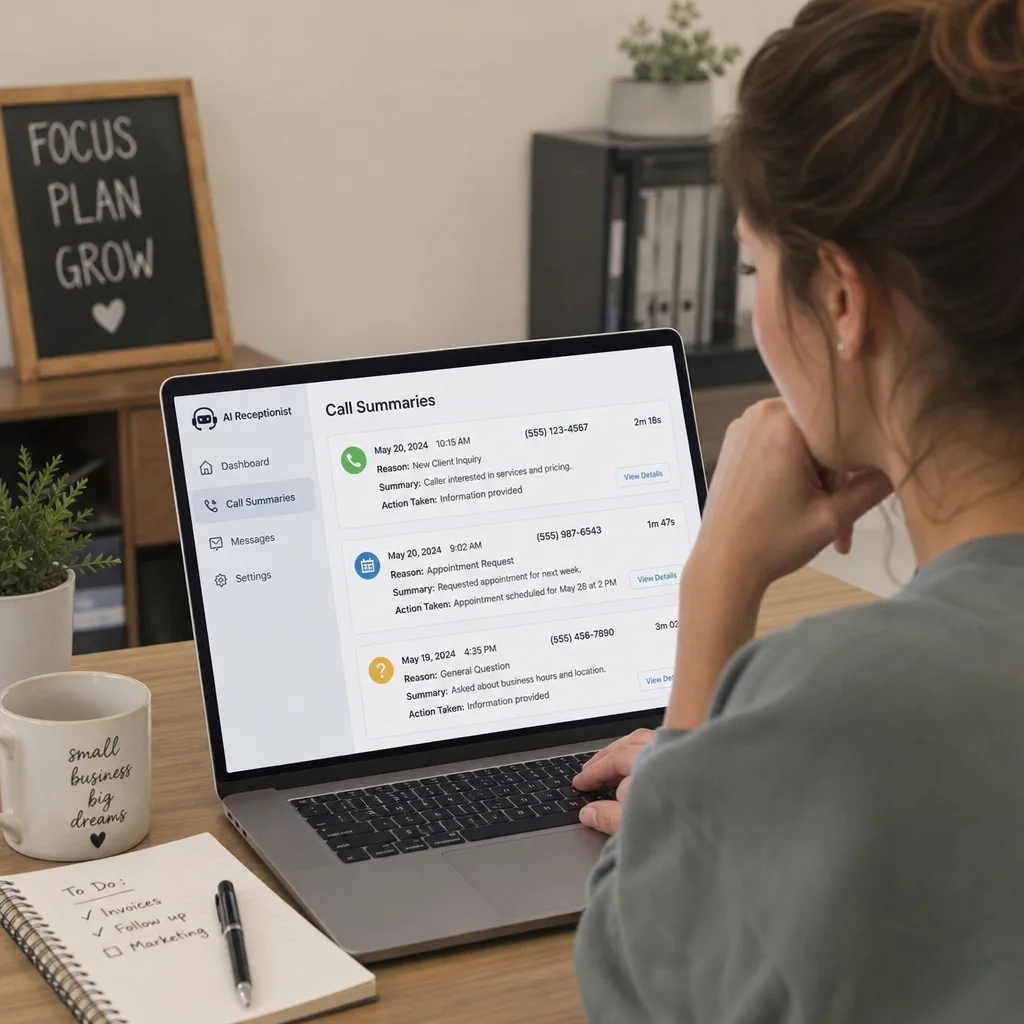
10. Connect With Existing Business Tools
An AI receptionist becomes much more useful when it connects with the tools your business already uses.
Possible integrations may include:
- CRM platforms
- Booking calendars
- Appointment systems
- Email inboxes
- SMS tools
- Help desks
- Job-management software
- Dispatch systems
- Lead tracking tools
These links turn phone answering into broader business automation.
For example:
- A consultant may want call notes sent right to a CRM
- A home service company may want new job requests sent to dispatch software
- A wellness office may want appointment requests saved for staff review
- A retail business may only need message capture and callback reminders
Before you choose a platform, map the journey of a call from start to finish.
Simple call-flow map
- The caller reaches the AI receptionist.
- The system finds the reason for the call.
- It collects the needed details.
- It answers approved common questions when needed.
- It sends urgent or complex issues to a human.
- It sends a call summary to the right tool or teammate.
- Your team follows up with context.
This gives you a strong base for future automation, such a
s CRM workflows, appointment reminders, lead screening, and customer support processes.
11. Maintain Service Quality as You Grow
Growth often exposes weak systems.
A business that can manage ten calls a week by hand may struggle when that number grows to fifty or more. Hiring more staff can help, but not every business is ready for a full-time receptionist or admin hire.
An AI receptionist gives you a flexible layer as call volume rises and falls.
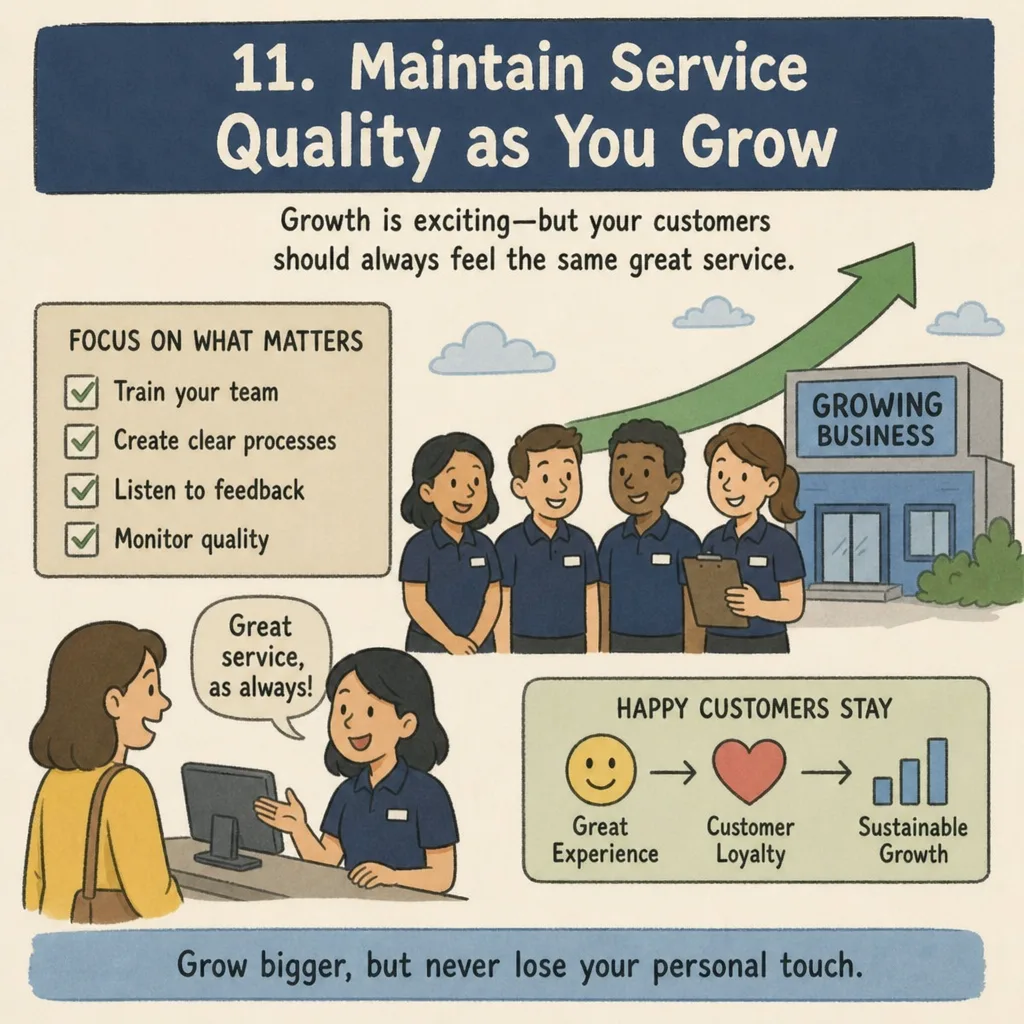
The main advantage is consistency. Every caller gets the same core greeting, intake questions, and next steps. Your script can improve over time, but the experience does not depend only on who is free.
It can also make onboarding easier. New team members can review structured call summaries instead of trying to read scattered voicemail notes or handwritten scraps.
As your business grows, you may combine AI support with human receptionists, salespeople, dispatchers, or customer service staff. The goal is not to automate every call. The goal is to build a blended system where automation handles repeat work and people handle the talks that need empathy, expertise, or judgment.
12. Improve Customer Service Without Extra Complexity
The best AI receptionist is not the one with the longest feature list. The one that helps customers get what they need while helping your team respond faster.
For small businesses, simplicity matters. A system that is hard to update or manage can create more problems than it solves.
A strong AI customer service setup should:
- Be easy to update when hours or services change
- Make calls smoother instead of trapping callers in a long menu
- Show clear call summaries or transcripts
- Let you control what information it can share
- Make escalation to a person simple
- Support the workflows your team already uses
Think of the AI receptionist as the first layer of customer care. It welcomes the caller, collects the basics, answers what it can, and brings in a human when needed.
A virtual receptionist is valuable for managing calls, organizing requests, and improving customer service efficiency.
What to Look for Before Choosing an AI Receptionist
Choose an AI receptionist based on your real call flow, not just the feature list.
The right tool should match your business hours, customer needs, service types, escalation rules, and current software. If it cannot collect the details your team needs or hand off calls in a clear way, it will not create lasting value.
Use this checklist when you compare providers:
Feature | What to ask |
Call handling quality | Does it greet callers clearly and sound natural? |
Setup | Can you change scripts, questions, tone, and routing rules? |
Lead capture | Can it collect names, contact details, service needs, and urgency? |
Scheduling support | Can it support booking requests or connect with your calendar? |
Escalation rules | Can urgent calls reach a human fast? |
Integrations | Can it send information to the tools your team already uses? |
Call visibility | Can you review summaries, transcripts, or call outcomes? |
Knowledge control | Can you define what information it may share? |
Ease of updates | Can non-technical staff update hours, policies, and services? |
Industry fit | Does it support the type of calls your business gets? |
Test the system from the customer's point of view before you fully launch it. Call as a new lead, an existing customer, and someone with an urgent issue.
The experience should feel helpful, fast, and clear - not too long, vague, or overly automated.
Common AI Receptionist Mistakes to Avoid
AI receptionists work best when they are built around real customer needs. Problems usually happen when businesses launch too fast, use generic scripts, or try to automate conversations that need a person.
Avoid these common mistakes:
- Making the greeting too long
- Collecting too little information for useful follow-up
- Asking callers too many questions
- Forgetting clear escalation paths
- Using vague labels such as general inquiry
- Failing to update business hours, policies, or services
- Automating sensitive, emotional, or high-value calls without human review
- Sending call summaries without assigning someone to follow up
The strongest systems start small. Automate the call types you know best, then improve the workflow as you learn more about what customers ask and what your team needs.
A Simple Rollout Plan
You do not need to automate everything at once. A phased rollout protects the customer experience while helping your team build trust in the system.
Phase 1: Define Your Call Types
Review recent calls and sort them into a few groups:
- New leads
- Scheduling requests
- Emergencies
- Billing questions
- Existing customers
- Vendors
- Wrong numbers or spam
Keep the groups simple enough for your team to use every day.
Phase 2: Build the Core Script
Create a clear greeting, key intake questions, approved answers, and escalation steps.
The script should sound like your business, not like a generic phone tree.
Phase 3: Plan What Happens After Each Call
Decide where call summaries should go and who owns each kind of follow-up.
A strong call experience can still fail if no one knows what to do with the information after the call.
Phase 4: Test Real Scenarios
Test common and hard calls before you send live traffic to the system.
Try scenarios such as:
- A new customer asking for a quote
- An existing customer changing an appointment
- A caller with an urgent problem
- A customer asking about service areas
- A caller who needs a human right away
Check whether the AI gets the right details, gives correct answers, and routes urgent calls well.
Phase 5: Review and Improve
Review call summaries often, especially during the first few weeks.
Remove extra questions, add missing answers, improve routing rules, and update your knowledge base as you see patterns.
Final Takeaways
An AI receptionist can help small businesses answer more calls, capture better leads, support scheduling, organize follow-up, and deliver a more steady customer experience.
The value comes from practical setup: clear scripts, useful routing rules, clean handoffs, correct business information, and regular improvement.
When you compare options, focus on fit.
- Choose simple message capture if you mainly miss calls during busy periods.
- Choose scheduling support if appointments drive your revenue.
- Choose urgent call routing if fast response matters for emergencies.
- Choose CRM or workflow integrations if lead follow-up is your biggest gap.
- Choose a more advanced AI customer service setup if callers often ask the same questions.
The best AI receptionist is the one that handles your most common calls well - and knows when it is time to bring in a person.
Take the Next Step
If your business is missing calls, losing leads, or spending too much time on repeat phone tasks, start by mapping your five most common call types.
Then use that map to compare AI receptionist options, build your script, and decide what to automate first.
A focused first step can turn your phone from a daily interruption into a more reliable growth channel.
Publication references and safeguards
These primary references give readers a direct path to verify the risk, governance, and example context used around implementation decisions.
Sources and methodology
External claims in this guide are linked to the original or authoritative source available at publication time. Sources are provided for context, not as a promise that another business will achieve the same result.
Frequently asked questions
Is an AI receptionist supposed to replace human staff?
No. The main job is to handle repeat front-desk tasks like answering common questions, capturing lead details, routing calls, and organizing follow-up. Human team members should still handle talks that need empathy, expertise, judgment, price decisions, or special exceptions.
What should a small business do before launching an AI receptionist?
Start by mapping the most common call types, such as new leads, scheduling requests, emergencies, billing questions, existing customers, vendors, and spam. Then create a clear script, define what details must be collected, decide where call summaries should go, and set escalation rules for urgent or complex cases.
Which AI answering features matter most for small businesses?
The most important features depend on the business's call flow. In general, useful options include clear call handling, flexible scripts, lead capture, scheduling support, urgent call escalation, integrations with current tools, call summaries or transcripts, and easy updates for hours, services, and policies.
How can an AI receptionist improve after-hours calls?
It can answer when the team is busy, explain what happens next, collect the caller's request, check whether the issue is urgent, and send a structured summary for follow-up. If the business offers emergency service, it can also route qualifying urgent calls to an on-call team member.
What is the biggest mistake to avoid when using an AI receptionist?
One of the biggest mistakes is launching without clear routing rules and follow-up ownership. Even if a call experience is helpful, it can fail if summaries go to the wrong place, urgent calls are not escalated, or no one is assigned to respond after the call.
Map the calls your team should answer differently
Tell us what callers need, which calls are urgent, and where information must go. We’ll map the call flow, human handoffs, and safeguards before recommending a build.
Map Your Call Flow →