People copy, chase, reconcile, and re-enter information because the workflow has no reliable handoff.
Reconciliation that stays close to the books
Find Invoice and Purchase-Order Mismatches Before They Reach Payment
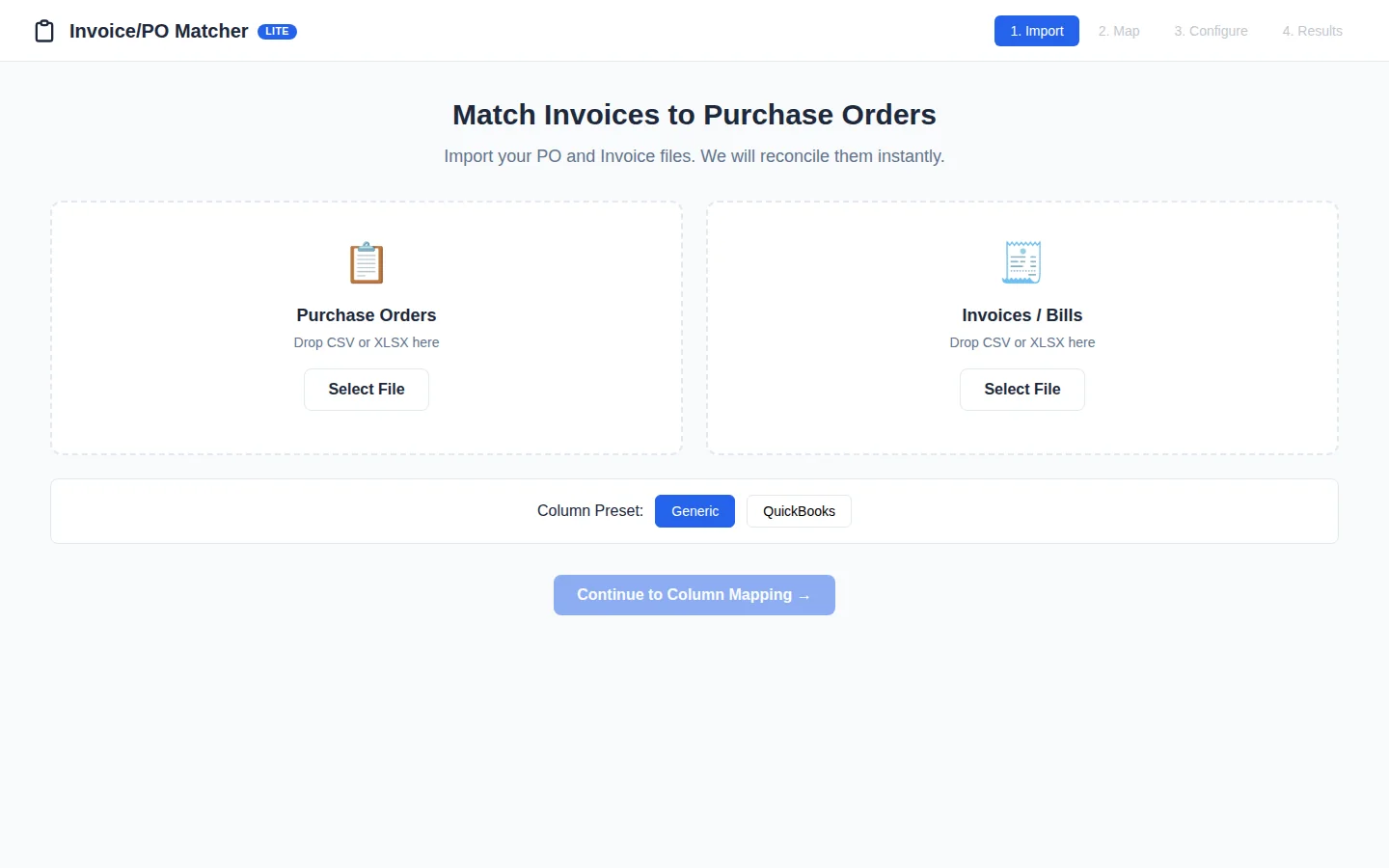
Import your files, map the columns, set tolerances, and review exceptions in a local desktop workflow built for traceability.
Desktop release prep
Android planned
No charge today. We will share final pricing, platform support, and delivery terms before you decide to buy.
The Real Cost
Manual Matching Is Costing You Time and Accuracy
Your team is spending hours matching purchase orders to invoices, chasing discrepancies, and correcting data entry errors. Every mismatched line item creates delays, disputes, and cash flow bottlenecks.
Wasted Hours on Reconciliation
Your accounts payable team manually compares each invoice to its corresponding PO, line by line. This tedious process takes valuable time away from strategic financial activities.
Early Payment Discounts Missed
Slow approval cycles caused by manual matching mean you miss out on early payment discounts. These missed opportunities add up to significant lost savings over time.
Vendor Relationship Strain
Delayed payments and constant queries about invoice discrepancies damage relationships with your vendors. This can affect pricing, delivery priorities, and overall partnership quality.
How We Help
AI-Powered Matching That Eliminates Manual Work
Our Invoice PO Matcher uses AI to automatically compare invoices against purchase orders, flag discrepancies, and route exceptions for human review. You get faster processing, fewer errors, and cash flow that moves at the speed of your business.
Automated Line-Item Matching
AI compares invoice line items to PO line items, accounting for quantity variations, unit price differences, and tax calculations. Matches are flagged automatically.
Smart Exception Detection
Discrepancies are immediately flagged with clear explanations—quantity mismatches, price variances, missing information. Your team only reviews what needs attention.
Automatic Document Linking
Invoices are automatically linked to their corresponding POs in your ERP system. No more searching for matching documents or manually updating records.
Approval Workflow Automation
Matched invoices flow automatically to the appropriate approver based on amount, vendor, and department. Exceptions are routed to specialized reviewers.
Why this matters
The cost is rarely one dramatic failure. It is the friction your team absorbs every day.
Disconnected tools, manual handoffs, and unclear ownership make ordinary work slower and harder to measure. The first job is to expose the constraint before choosing technology.
Important details arrive in calls, inboxes, documents, and forms but do not reach the next person cleanly.
A new subscription does not help when nobody owns the rules, exceptions, approvals, and maintenance.
How the solution works
Start with one constraint, then build only what the process can support.
Client-owned assetsHuman approval gatesInspectable handoffNo outcome guarantees
Document the trigger, inputs, systems, decisions, exceptions, and current owner.
Implement the smallest useful change with explicit approval and fallback paths.
Measure the workflow against its starting point and hand over an inspectable system.
Local-firstFinancial source files stay on the workstation
ConfigurableSet matching rules and tolerances
AuditableExport results and review exceptions
Focused workflow
Everything you need to move the work forward
A practical tool for a specific operational job, with less setup and less clutter.
PO and invoice import
Load CSV or XLSX files into a guided reconciliation flow.
Column mapping
Map your source columns instead of rebuilding exports around a rigid template.
QuickBooks preset
Start from a familiar mapping when your files come from QuickBooks.
Tolerance rules
Configure acceptable variance so the review queue focuses on meaningful exceptions.
Exception review
Investigate unmatched and out-of-tolerance records before they move forward.
Audit exports
Export results, exceptions, and traceable audit records for the accounting file.
How it works
From task to trusted record in three steps
Import both sides
Add the purchase-order and invoice files you need to reconcile.
Map and configure
Confirm columns, matching logic, and acceptable tolerances.
Review exceptions
Resolve mismatches and export an audit-ready result.
Release status
Clear about what is ready
We are preparing checkout, signing, licensing, and downloads. The page will switch to purchase actions only after the customer artifacts are verified.
Desktop app
Desktop release prepThe desktop app has a working local interface and reconciliation engine. Customer installers, signing, and licensing still need final release packaging.
Android app
Android plannedAn Android edition is planned after the desktop workflow and touch-first review experience are finalized.
Launch note
Coming soonThe sales page describes the current product workflow without presenting checkout or downloads as live.
Product questions
What teams ask before they reserve
What does invoice PO matching software compare?
It compares invoice and purchase-order data using mapped fields and configurable tolerances, then sends missing or out-of-tolerance records to an exception review queue.
Can Invoice/PO Matcher import QuickBooks exports?
The workflow includes a QuickBooks-oriented mapping preset plus configurable column mapping for supported CSV and XLSX exports.
Founding access
Help shape Invoice/PO Matcher before public release.
Reserve your place at no charge. Founding-access members get the release brief first, a direct channel for workflow feedback, and the choice to purchase only after the final terms are clear.
FAQ & risk reversal
Questions to answer before you commit
Clear ownership, boundaries, and measurement matter more than a vague promise.
Where should we start?
Start with one repeated, costly, delayed, or fragile workflow. Document how it works today and choose an observable result before discussing tools.
Do we need to replace our current systems?
Usually not. The first option is to improve the handoffs around the systems your team already uses. Replacement is considered only when the current tool is the constraint.
What stays under human control?
People keep responsibility for unusual, sensitive, expensive, regulated, or relationship-heavy decisions. Approval and stop paths are defined before launch.
How is scope and pricing determined?
Scope depends on systems, data, exceptions, access, risk, and handoff requirements. You receive a defined scope and ownership plan before paid implementation begins.
Make the next decision
What is the first business constraint worth solving?
Describe one costly, repetitive, or fragile workflow. We’ll review the fit and respond with the most useful next step—not a canned pitch.
- Where does work wait, repeat, or fall between people and systems?
- Who owns the process today, including exceptions and approvals?
- What observable result would make a first improvement worthwhile?